Widgets
A little birthday on your Home Screen.
Next birthday and every Lock Screen widget are free. Boop Plus adds photo, list, clock and calendar widgets.
Add a widget
- Go to your Home Screen. Touch and hold an empty area until the icons start moving.
- Open the widget gallery. Tap Edit, then Add Widget, or the plus button if your version shows one.
- Search for Birthday Boop. Choose a widget and swipe through its available sizes.
- Add it and choose a spot. Tap Add Widget, place it, then tap Done.
- Pick who it shows. Touch and hold the widget, then Edit Widget. Next birthday follows whoever is coming up, for everyone or one group. Pinning one person to your Home Screen comes with Boop Plus.
Free and Plus widgets
Free: Next birthday on your Home Screen, small or medium, and every Lock Screen widget, This month’s dates included.
Boop Plus: Your people, Countdown clock, Photo shuffle, This month and My birthday countdown for your Home Screen. Add 5 birthdays in the app and the My birthday countdown widget is yours to keep.
Add a Plus widget before you have Plus and it shows a soft preview of your birthdays. Tap it to see Boop Plus.
Discreet mode
In the app, Settings → Privacy & backups → Discreet mode has three switches, each on its own: Hide names and photos on widgets, Hide names in Upcoming and Hide names in notifications. It’s handy if your Home Screen is often on show, and notes stay off widgets either way.
Keeping widgets fresh
iPhone refreshes widgets on its own schedule, so a change can take a little while to show up. Questions? Get in touch.
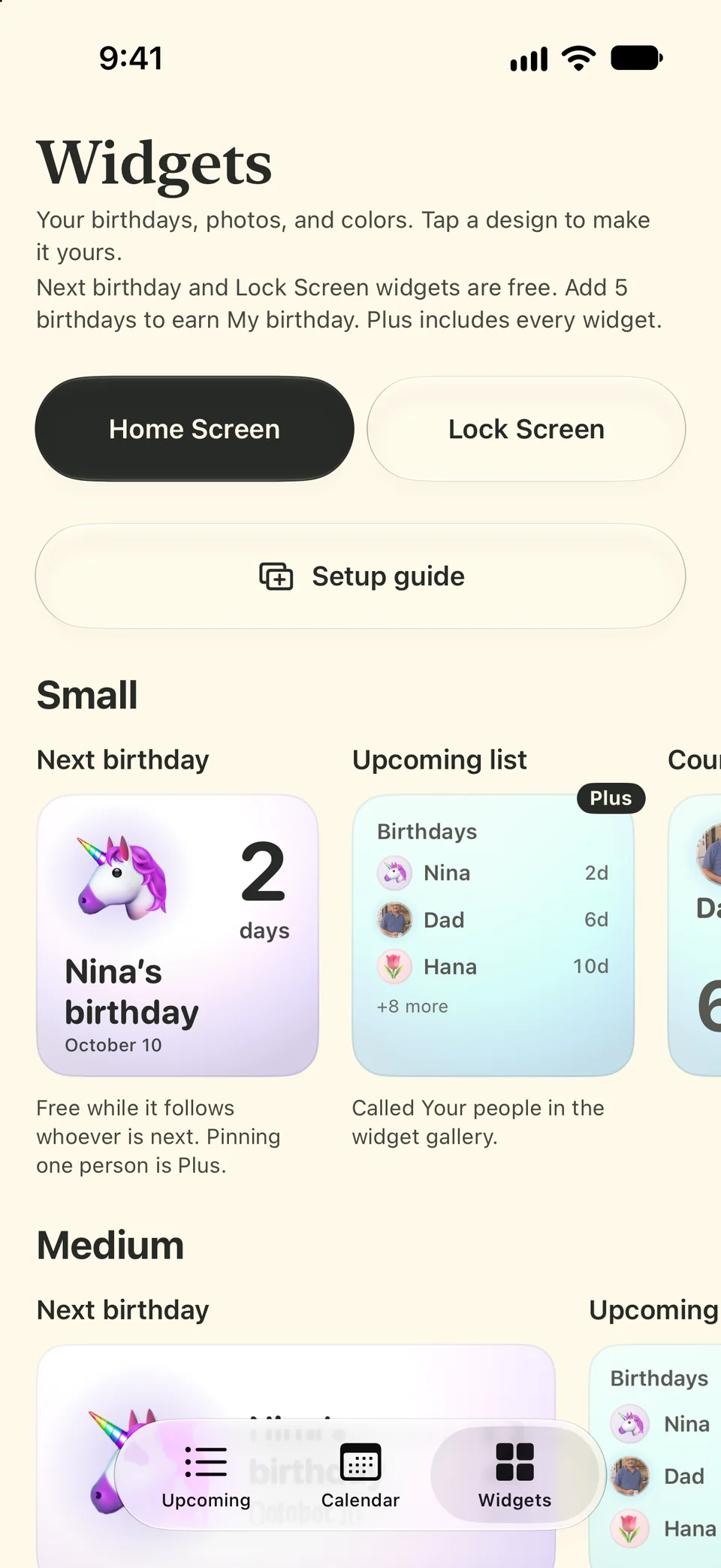
Some widgets shown here come with Boop Plus.